Built for Massachusetts dealerships
Your Dealership's Record Book. Reimagined.
Say goodbye to handwritten logs and scattered vehicle records. VinBook brings your dealership's vehicle recordkeeping into one simple, organized digital workspace.
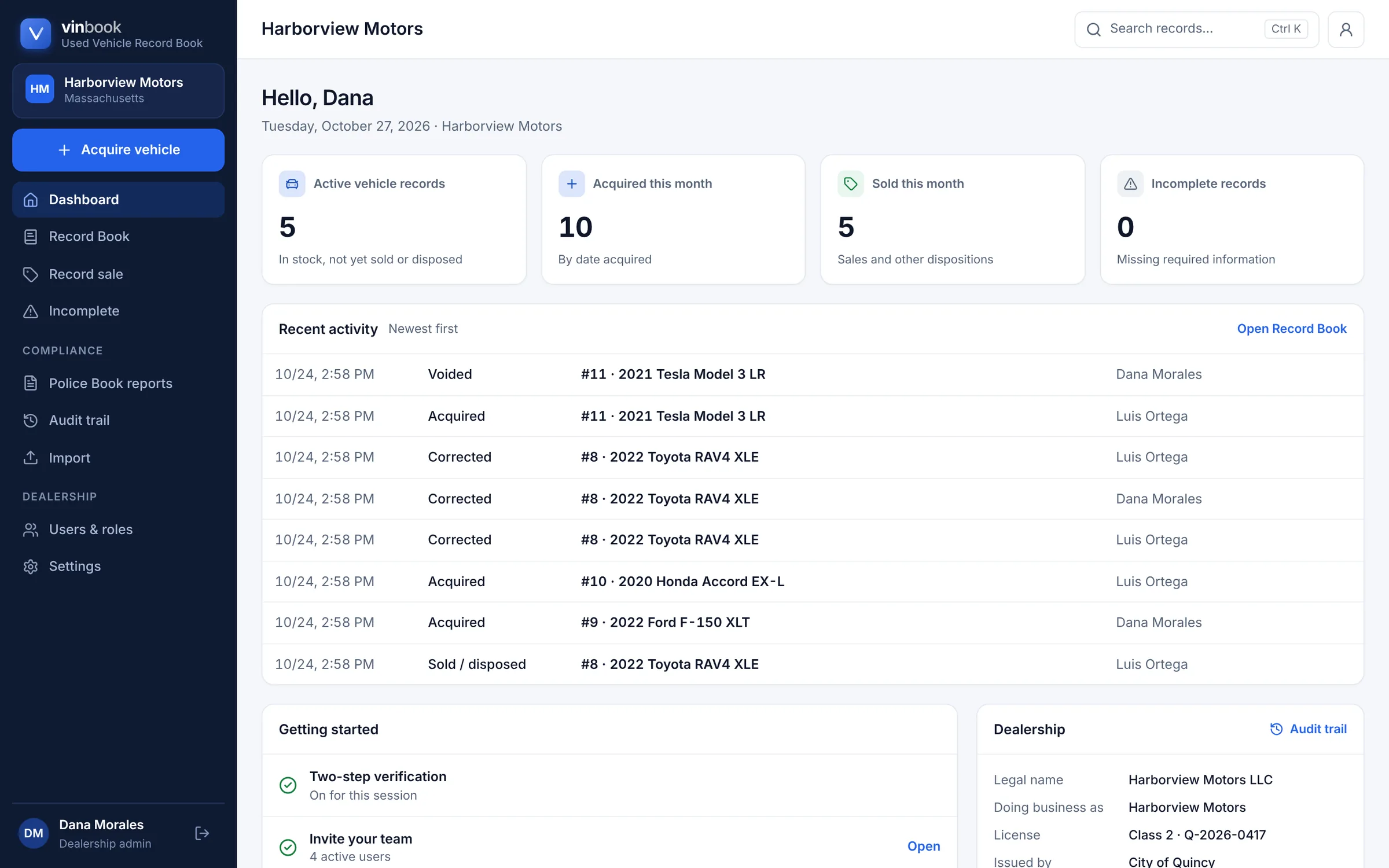
- Digital RecordkeepingEvery acquisition and sale in one organized book, kept for good.
- Faster Vehicle EntryType or scan a VIN, and the year, make and model fill in.
- Easy Record RetrievalFind any vehicle by VIN, stock number or name, then print it.
Features
Less Paperwork. More Control.
Everything your dealership needs to manage vehicle records without the unnecessary complexity.
Digital Vehicle Records
Keep every purchase and sale in one organized, digital Used Vehicle Record Book, numbered in order and kept for good.
VIN Decoding
Type a VIN or scan its barcode with your phone. VinBook looks it up in NHTSA's vehicle database and fills in the year, make, model and body style for you to check.
Find Records Faster
Search by VIN, stock number, record number, year, make, model, colour, or the seller's or buyer's name. Press Ctrl+K from any page.
Organized Transaction History
Seller, buyer, dates, odometer readings and title details stay with each vehicle, and every correction is kept with its reason.
Inspection-Friendly Record Access
Print one vehicle's record, many at once, Police Book reports or an inspection packet. Save any of them as PDF or download a spreadsheet.
Designed for Dealership Workflows
Clear screens for taking vehicles in and selling them, on a computer or a phone, with roles for administrators, employees and auditors.
The product
A Clearer View of Every Vehicle.
Find information, update records, and manage your vehicle history from one convenient place.
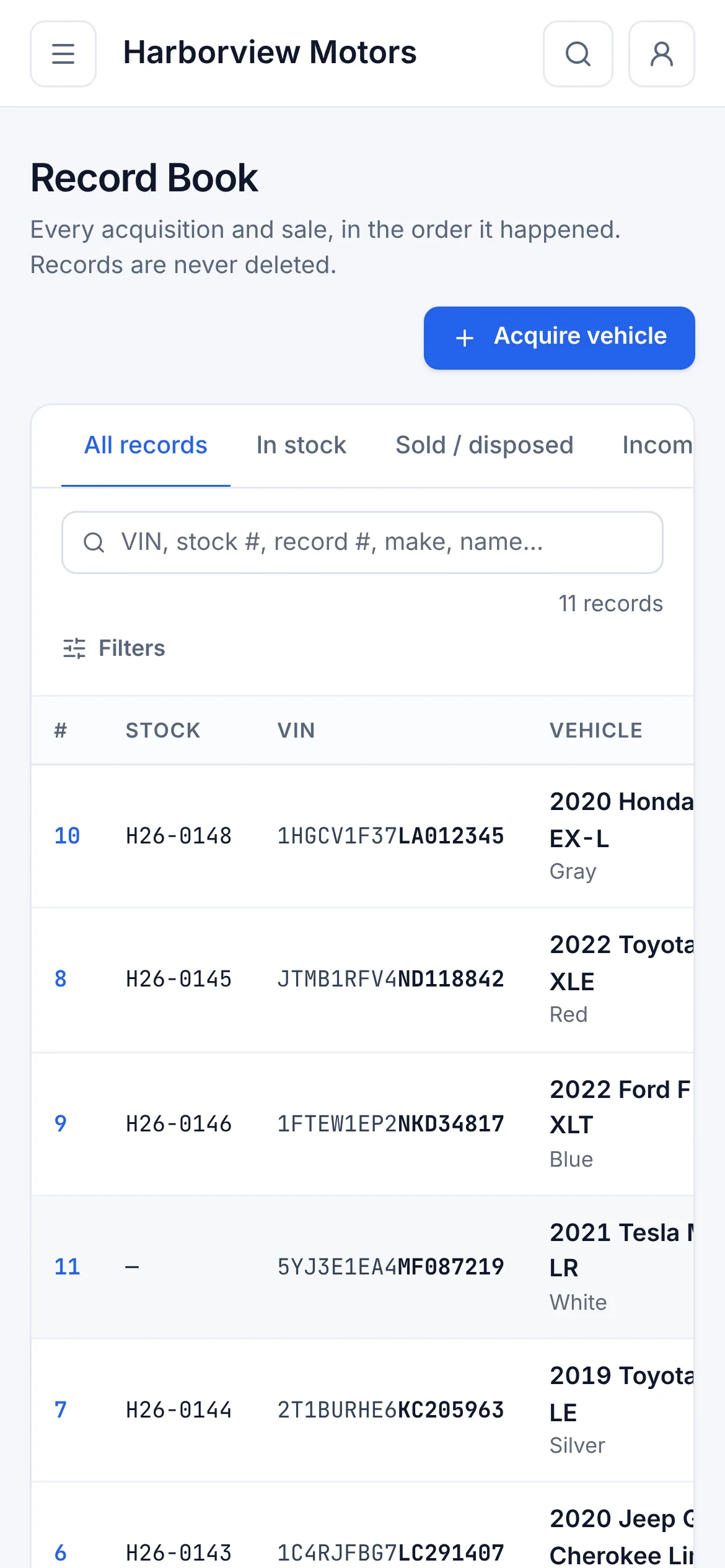
The Record Book
Your whole book, at a glance
Every vehicle in the order it arrived, with where it came from, where it went and its status. Filter to what's in stock, sold, voided or still missing information.
- In stock, sold and void at a glance
- Edited records clearly marked
- Works on a phone as well as a desktop
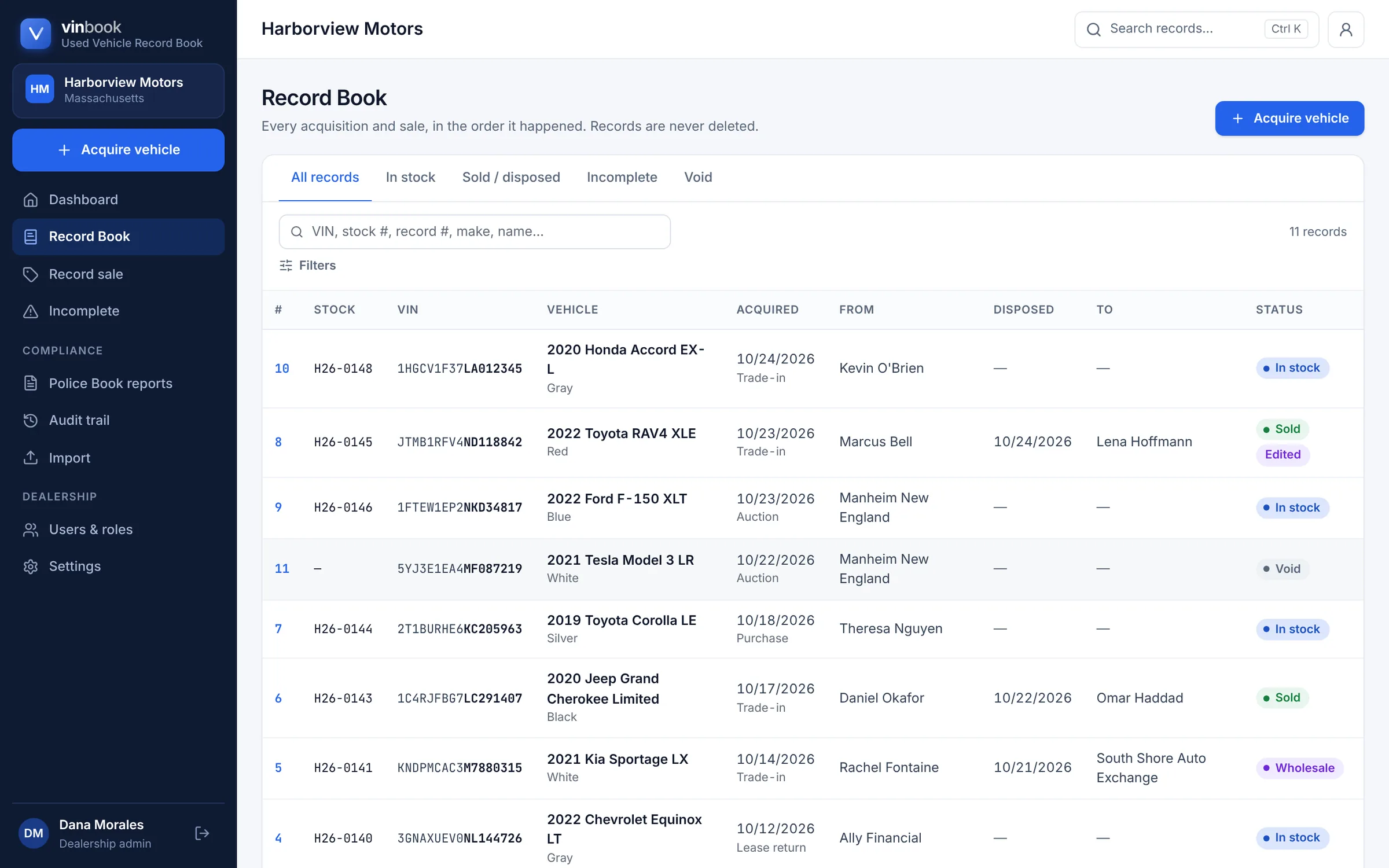
Search
Find any vehicle in seconds
Start typing a VIN, a stock number, a make or a customer's name, and the matching records appear as you type.
- Full or partial VIN
- Stock and record numbers
- Seller and buyer names
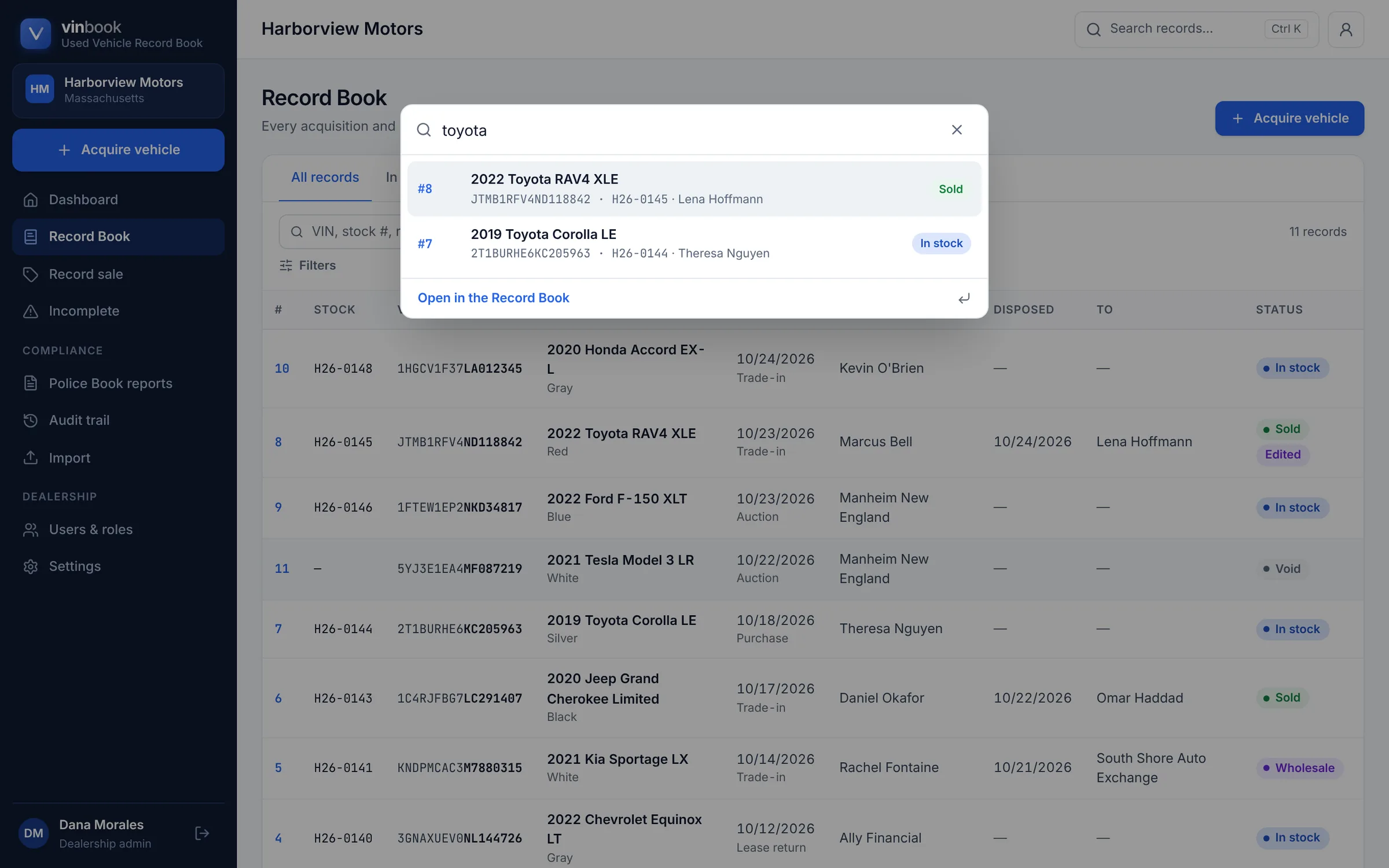
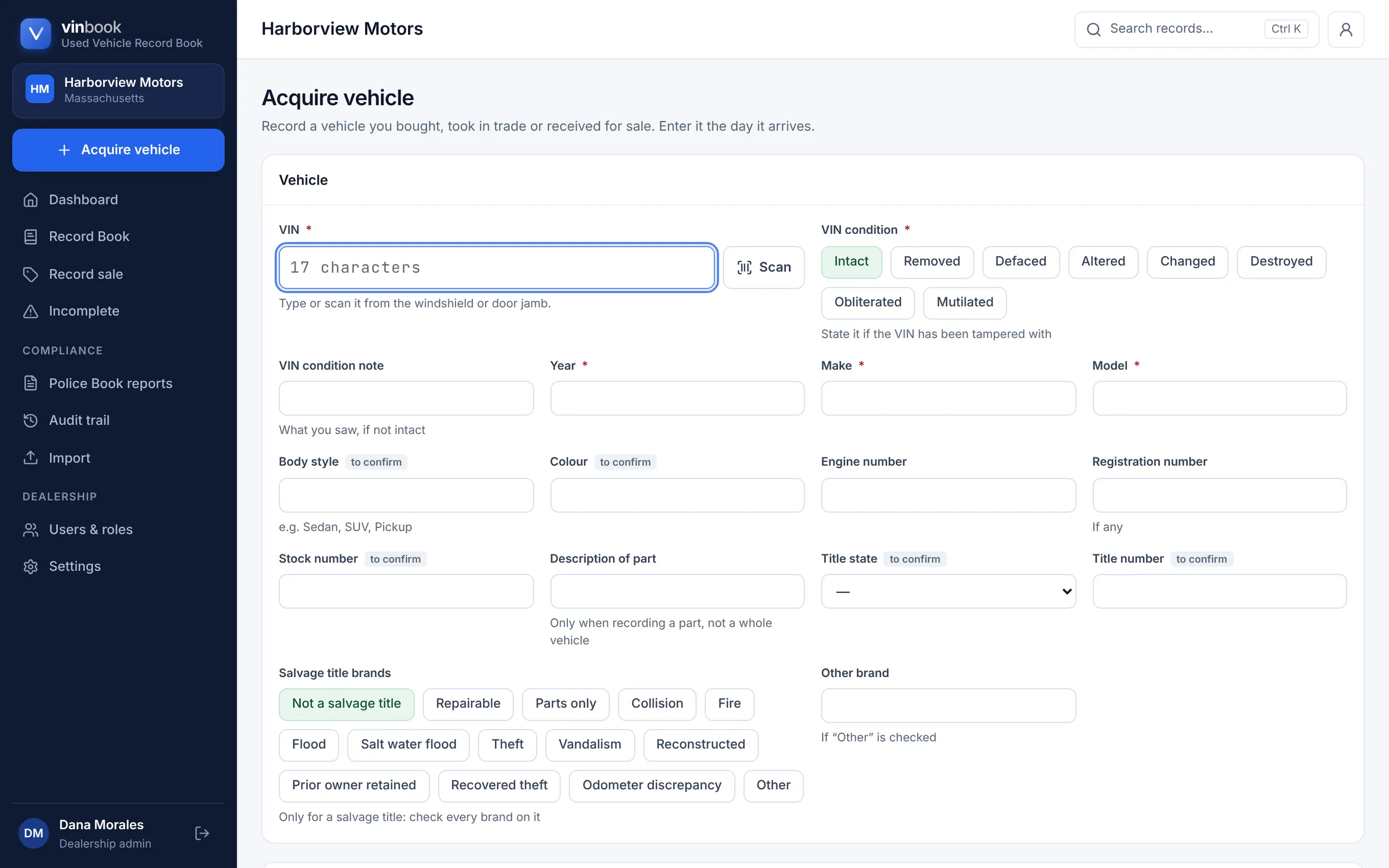
Acquire a vehicle
Enter a vehicle the day it arrives
One straightforward form for the vehicle and where it came from. The VIN is checked as you type, and required details can't be left out.
- VIN check digit verified
- VIN condition and salvage title brands
- Today's date and your name filled in
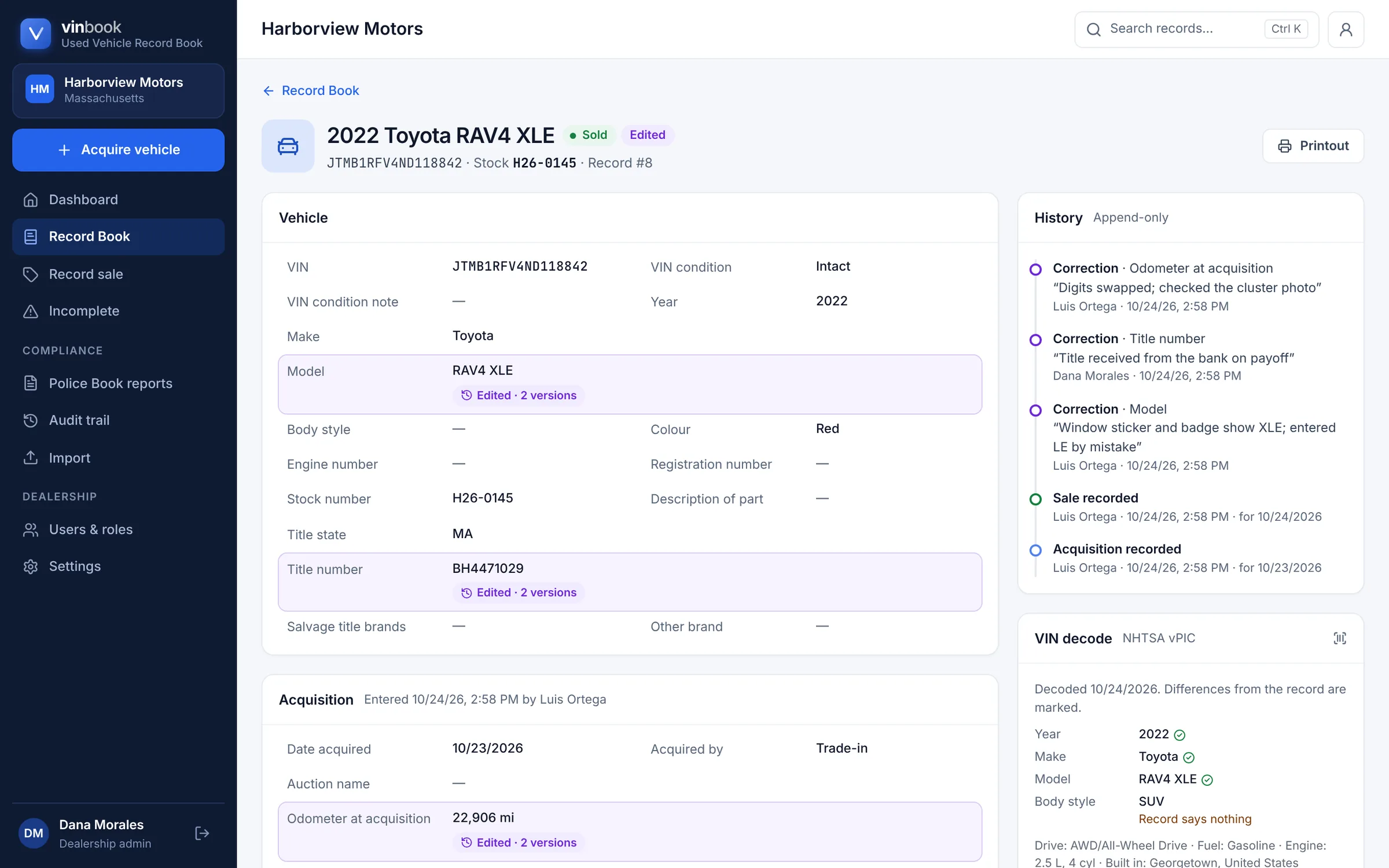
History
Every change, kept
Records are never deleted or silently overwritten. A correction needs a reason, and the original value stays on the record with who changed it and when.
- Edited items marked on screen and on paper
- Every earlier version kept
- VIN decode shown beside the record
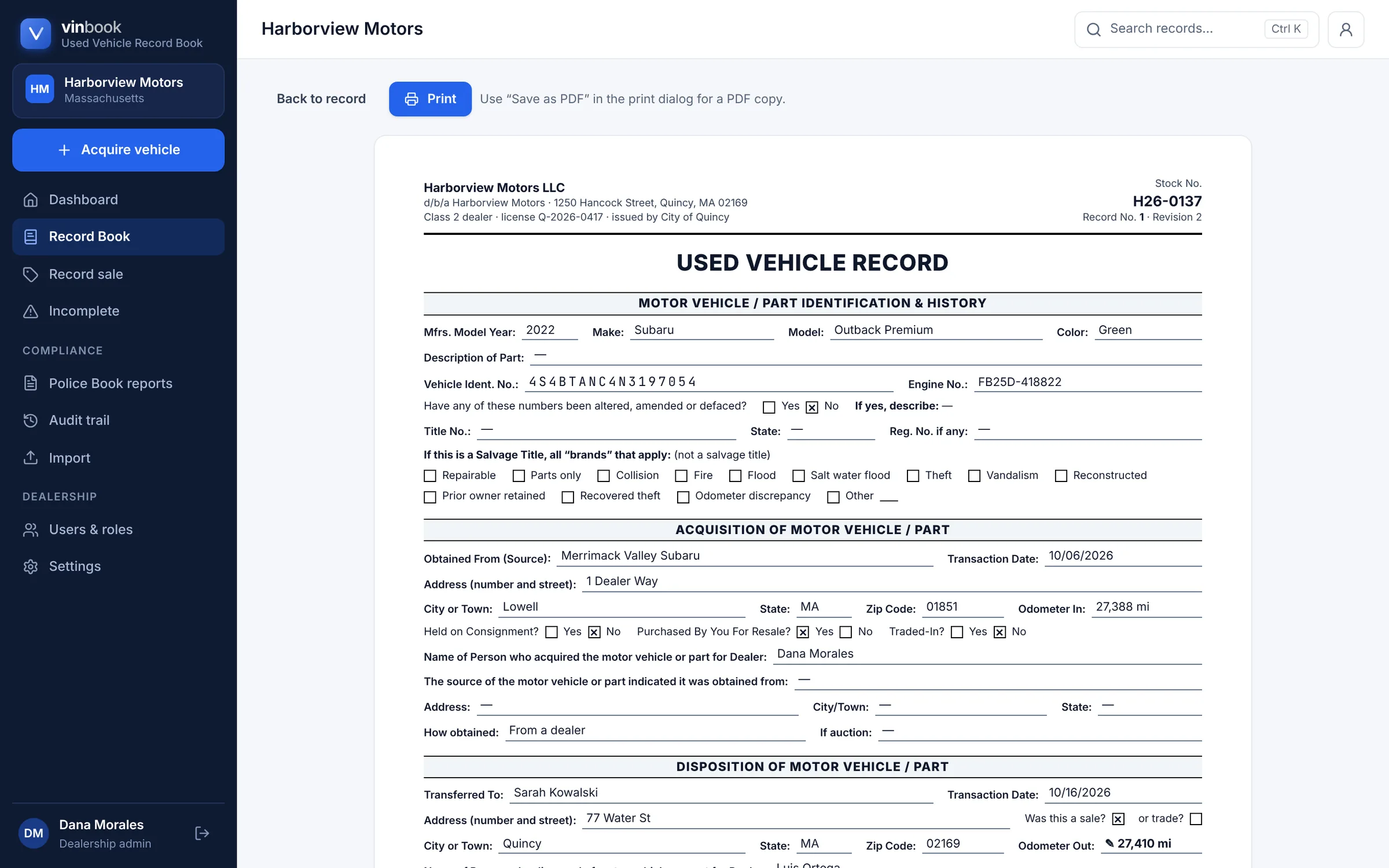
Printouts
Printed in the book's familiar layout
Each vehicle prints like a page of the bound record book, with the same sections and check boxes. Print one vehicle or a whole period at once.
- One vehicle, or up to 200 at a time
- Police Book reports and inspection packet
- Save as PDF or download a spreadsheet
Why VinBook
Move Beyond the Paper Record Book.
Traditional recordkeeping
- Handwritten records
- Manual VIN entry
- Time spent searching through pages
- Difficult-to-read handwriting
- Scattered transaction information
- More repetitive administrative work
With VinBook
- Organized digital records
- VIN-assisted entry, including barcode scanning
- Searchable vehicle history
- Clear, consistent record formatting
- Centralized transaction information
- More efficient daily workflows
- Never deletedEntries can be corrected with a reason, or voided, but never erased.
- A tamper-evident audit trailEvery change is logged, and the trail can be checked for tampering at any time.
- Two-step verificationDealership administrators sign in with an authenticator app code.
- Each dealership kept separateA dealership's records and team are visible only to that dealership.
- Bring your existing recordsImport a CSV or Excel file; every row is checked before anything is added.
- Your data, exportableAdministrators can download every record and its history as a spreadsheet.
How it works
Get Organized in Three Simple Steps.
- 1
Create Your Dealership Account
Request a demo. After we walk you through VinBook, we set up your dealership's profile and workspace and invite you to sign in.
- 2
Add Your Vehicles
Record vehicles as they arrive through a straightforward form, or import your existing records from a spreadsheet.
- 3
Manage Your Records
Search, review, correct and print your vehicle records whenever they're needed.
Massachusetts
Designed Around Massachusetts Dealership Recordkeeping.
VinBook is being developed with Massachusetts Used Vehicle Record Book requirements in mind, helping dealerships maintain organized and accessible vehicle records.
Its fields follow Massachusetts General Laws, Chapter 140, Section 62 (opens in a new tab), which sets out what a dealer records for each vehicle bought and sold.
What each record holds
- Description of the vehicle and its identification number
- When it was acquired, and from whom, with their address
- When it was sold or disposed of, and to whom, with their address
- Odometer readings, title details and salvage brands
- Who entered or corrected each item, and when
FAQ
Questions, answered.
What is VinBook?
VinBook is web-based software for keeping a dealership's Used Vehicle Record Book electronically. You record each vehicle you acquire and sell, correct entries with a reason, and print individual records and Police Book reports when they're asked for.
Who is VinBook designed for?
Licensed used vehicle dealerships, starting in Massachusetts: owners, managers and the staff who take vehicles in and sell them. Each person gets their own sign-in and a role: administrator, employee, or read-only auditor.
What is a Used Vehicle Record Book?
It's the record Massachusetts dealers keep of the used vehicles they buy and sell, under Massachusetts General Laws, Chapter 140, Section 62, often called the Police Book. It lists each vehicle's description and identification number, when and from whom it was acquired, and when and to whom it was sold.
Can I search for vehicles using a VIN?
Yes. Search by full or partial VIN, stock number or record number, and also by year, make, model, colour, or the seller's or buyer's name. When you add a vehicle, you can type or scan its VIN, and VinBook looks it up in NHTSA's public vehicle database to fill in the year, make and model.
Can I print vehicle records?
Yes. Every vehicle has a printout laid out like a page of the bound record book, and you can print many vehicles at once for a date range. Police Book reports, a vehicles-on-the-premises list and an inspection packet can be printed, saved as PDF, or downloaded as a spreadsheet.
Can multiple dealership employees use VinBook?
Yes. An administrator invites the team by email and gives each person a role. Every entry and correction records who made it and when, and administrators sign in with two-step verification.
Is VinBook approved for Massachusetts dealerships?
Not at this time. VinBook has not been approved by the Massachusetts Registry of Motor Vehicles or any other authority, and no application for approval has been submitted yet. Until any approval that applies has been obtained, don't treat VinBook as a replacement for the record book the law requires. Your licensing authority can tell you what it accepts.
How do I get started?
Request a demo with the form on this page. We'll walk you through VinBook and talk through what your dealership needs, then set up your account. VinBook can import your existing records from a spreadsheet.
See it for yourself
Ready for a Smarter Way to Manage Your Records?
Discover a simpler, more organized approach to dealership vehicle recordkeeping.
We'll show you VinBook with sample records and answer your questions. Tell us a little about your dealership and we'll be in touch to find a time.